← Back to guides
How Much Do Realtors Spend on Listing Photos? The Real 2026 Breakdown
Meta description: What do agents actually pay for listing visuals in 2026? Photographers, drone add-ons, Canva Pro, and your own hours — the full cost breakdown, plus the cheaper way to handle the social graphics.
If you've ever stared at your marketing expenses at the end of a quarter and wondered where it all went, you're not alone. Listing visuals are one of the sneakiest line items in an agent's budget. Nobody questions them one listing at a time — but they add up fast.
Here's what the numbers actually look like in 2026.
The Photographer: $150–$500 Per Listing
This is the big one, and the range is wide because markets differ. Based on current 2026 pricing guides:
Standard residential shoot (under 2,500 sq ft): $150–$275 for 15–25 photosMid-size home (2,500–4,000 sq ft): $250–$375 for 25–35 photosLarge or luxury listings: $375–$600+, sometimes $1,200+ with full production
The national average for a standard shoot sits around $230–$250 per listing , with 24–48 hour turnaround. That's just the photos — the raw material.
Most agents I know land somewhere in the $200–$350 range per listing. Do three listings a month and you're at $600–$1,050 a month before you've touched a single social post.
The Add-Ons Nobody Budgets For
The base package is never the final invoice. The add-ons that actually make listings pop:
Twilight/dusk session: $100–$250 extra (separate trip, dramatic exterior shots)Drone/aerials: $75–$150 extraRush delivery (photos tonight): $50–$150Extra edited photos beyond the package: $5–$10 each
A listing with twilight + drone + rush delivery can easily double the base cost. It's worth it for the right property — a $1.2M listing deserves the full treatment. A $280K condo? The math gets harder to justify.
The Design Layer: Canva Pro and Your Evenings
Here's where it gets interesting, because this cost is mostly invisible.
Once the photographer delivers, the photos still aren't posts. Someone has to turn them into Just Listed graphics, open house flyers, story frames, and sold announcements. That someone is usually you, in Canva, at 10 PM.
Canva Pro runs $18/month on monthly billing, or $180/year ($15/month equivalent) on annual billing in 2026. That's the cheap part.
The expensive part is your time. A decent set of branded listing graphics — Just Listed post, story version, open house flyer, price-drop update — takes 45 to 90 minutes in Canva if you're doing it right with your brand fonts and colors. Let's be conservative and say an hour per listing.
If your time is worth $75/hour (a modest number for a producing agent), that's $75 of your time per listing , every listing, forever. Three listings a month: $225 in invisible labor. Twelve months: $2,700 a year spent dragging text boxes around.
Some agents outsource this to a VA or a designer. A freelance social media designer runs $25–$75 per graphic set. That's $75–$225 per listing — suddenly comparable to the photographer's fee.
The Full Math
Let's put it together for a typical producing agent — 3 listings a month, mid-size homes:
Expense Per Listing Per Month Per Year
Photographer (standard) $250 $750 $9,000 Occasional add-ons (twilight/drone) $80 avg $240 $2,880 Canva Pro — $18 $216 Your design time (1 hr @ $75) $75 $225 $2,700 Total ~$411 ~$1,233 ~$14,796
Nearly $15,000 a year on listing visuals. And that's without a single luxury listing in the mix.
Where You Can Actually Cut (Without Cutting Corners)
Let's be honest about what's non-negotiable: the photographer stays. Good photography sells homes faster — listings with professional photos consistently outperform DIY shots, and no automation replaces a wide-angle lens in a sunlit kitchen. Don't cheap out here.
The layer you can cut is the design labor between "photos delivered" and "posts published."
Right now that gap is filled by your evenings in Canva, a VA on retainer, or a designer per project. But turning finished listing photos into on-brand social graphics is a repetitive, templated job — exactly the kind of work that doesn't need an hour of human time per listing.
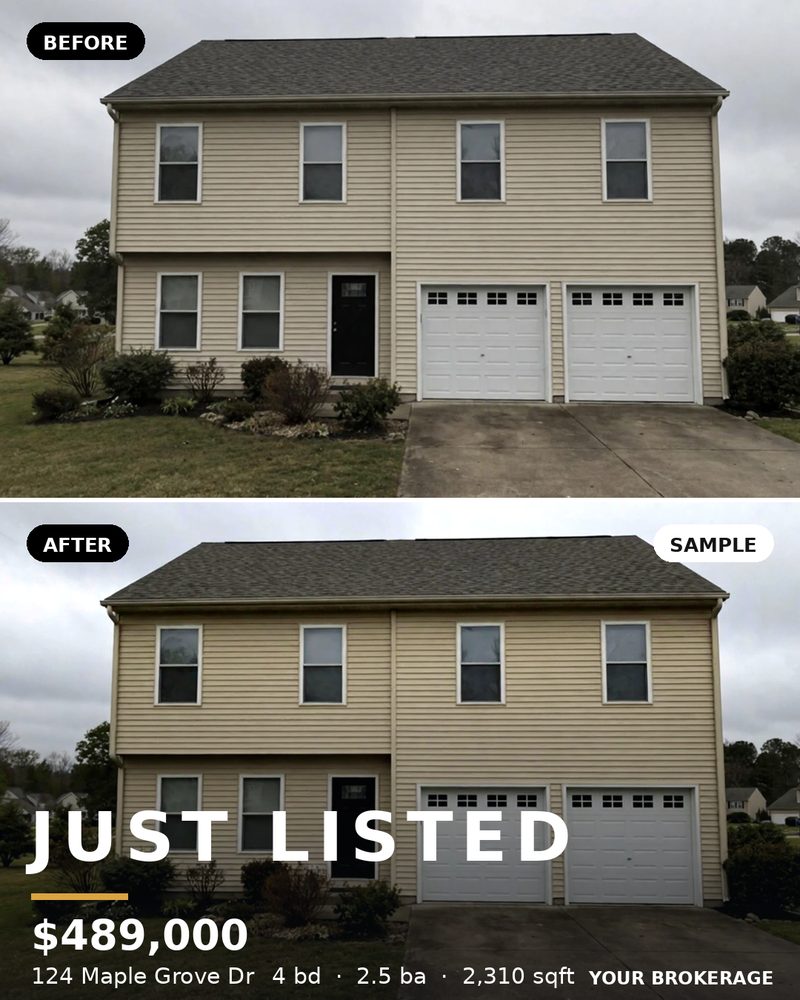
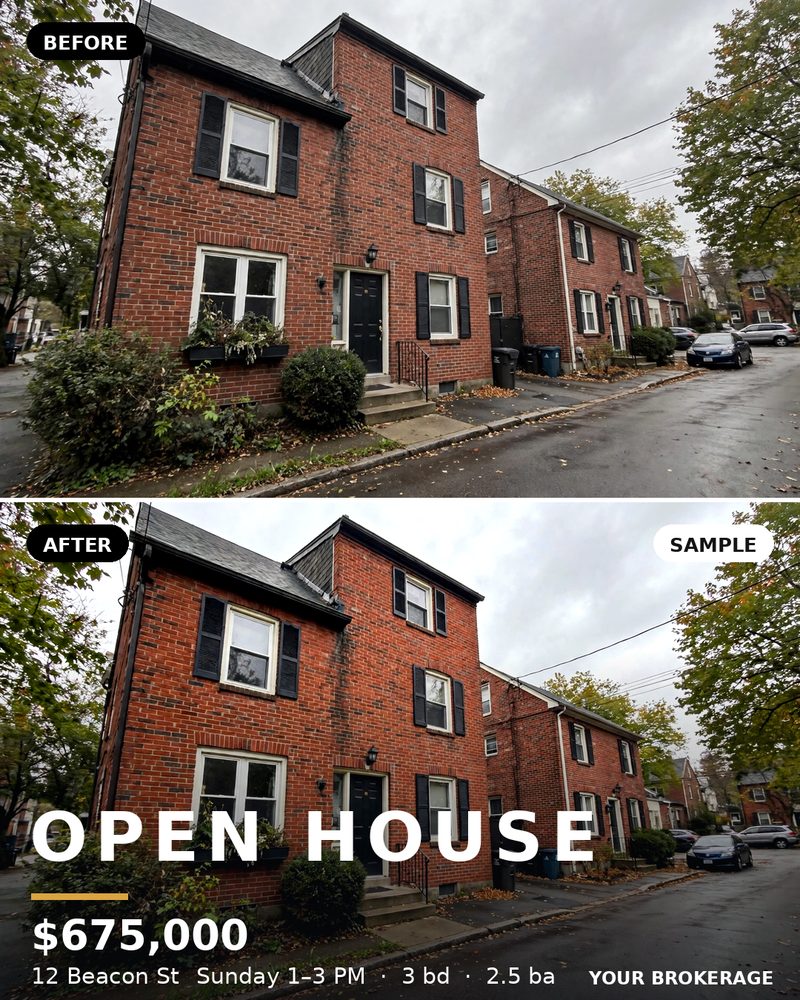
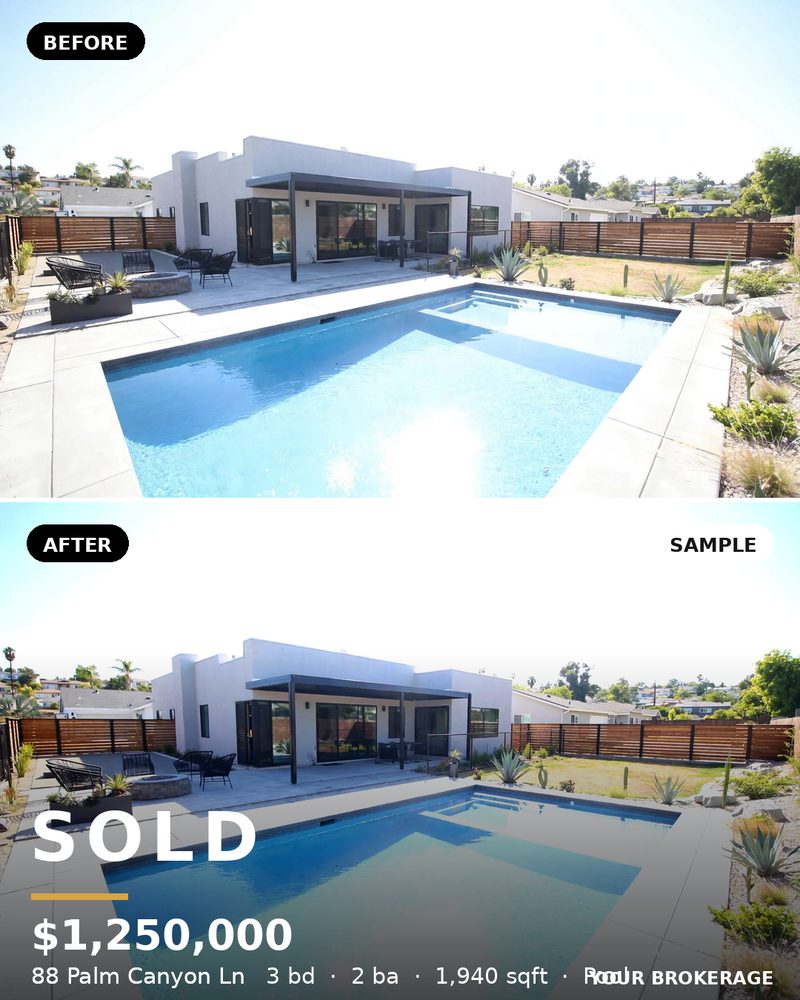
Tools that generate your Just Listed, Open House, and Sold posts automatically from your listing photos — same fonts, same colors, every time — eliminate the $2,700/year time sink and the Canva wrestling matches. The photographer still shoots. You just stop being your own graphic designer.
The Bottom Line
Track your visual marketing spend for one quarter — photographer invoices, Canva subscription, and honestly count the hours. Most agents are shocked. The fix isn't spending less on photography. It's spending zero hours on the graphics assembly line that comes after.
Want your listing photos to become on-brand social posts without the Canva sessions? CurbPost turns your finished photos into Just Listed, Open House, and Sold graphics automatically.
Get the $149 listing pack
7 Just Listed Post Ideas That Actually Get Engagement
Meta description: Tired of Just Listed posts that get 12 likes from other agents? 7 post formats that drive real engagement from buyers — with examples you can steal today.
Every agent posts "Just Listed." Almost none of them get engagement from anyone except other agents and their mom.
The problem isn't the listing. It's the format. A single exterior photo with "Just Listed! 3 bed, 2 bath, $549K. DM me!" is the real estate equivalent of a billboard on a road nobody drives on. Here's what actually works.
1. The Room-by-Room Carousel
Why it works: Carousels get more screen time than single photos — every swipe is another second of attention, and the algorithm notices. On Instagram, carousels consistently outperform single-image posts for saves and shares.
How to do it: Lead with your strongest shot (twilight exterior or the kitchen — always the kitchen), then walk through the home room by room: living room, primary bedroom, bathroom, backyard. End with a detail shot — the reading nook, the fireplace, the view from the deck.
Caption example: "3 beds, 2 baths, and a backyard that sold me before I even got inside. Swipe through — which room would you claim first?"
The question at the end matters. It turns scrollers into commenters.
2. The "3 Things You'll Love" List
Why it works: People read lists. A wall of specs gets skimmed; three specific, vivid details get remembered.
How to do it: Skip the generic ("great location!"). Pick the three most specific things about this property: the 1920s original hardwood, the 200-square-foot deck with sunset views, the fact that the best coffee shop in the neighborhood is a 4-minute walk away.
Caption example: "New on the market: 3 things you'll love about 1420 Maple St. 1) Original 1920s hardwoods that don't make them like this anymore. 2) A deck built for summer evenings. 3) Four minutes on foot to the best espresso in the neighborhood. Full details in bio."
3. The Twilight Hero Shot
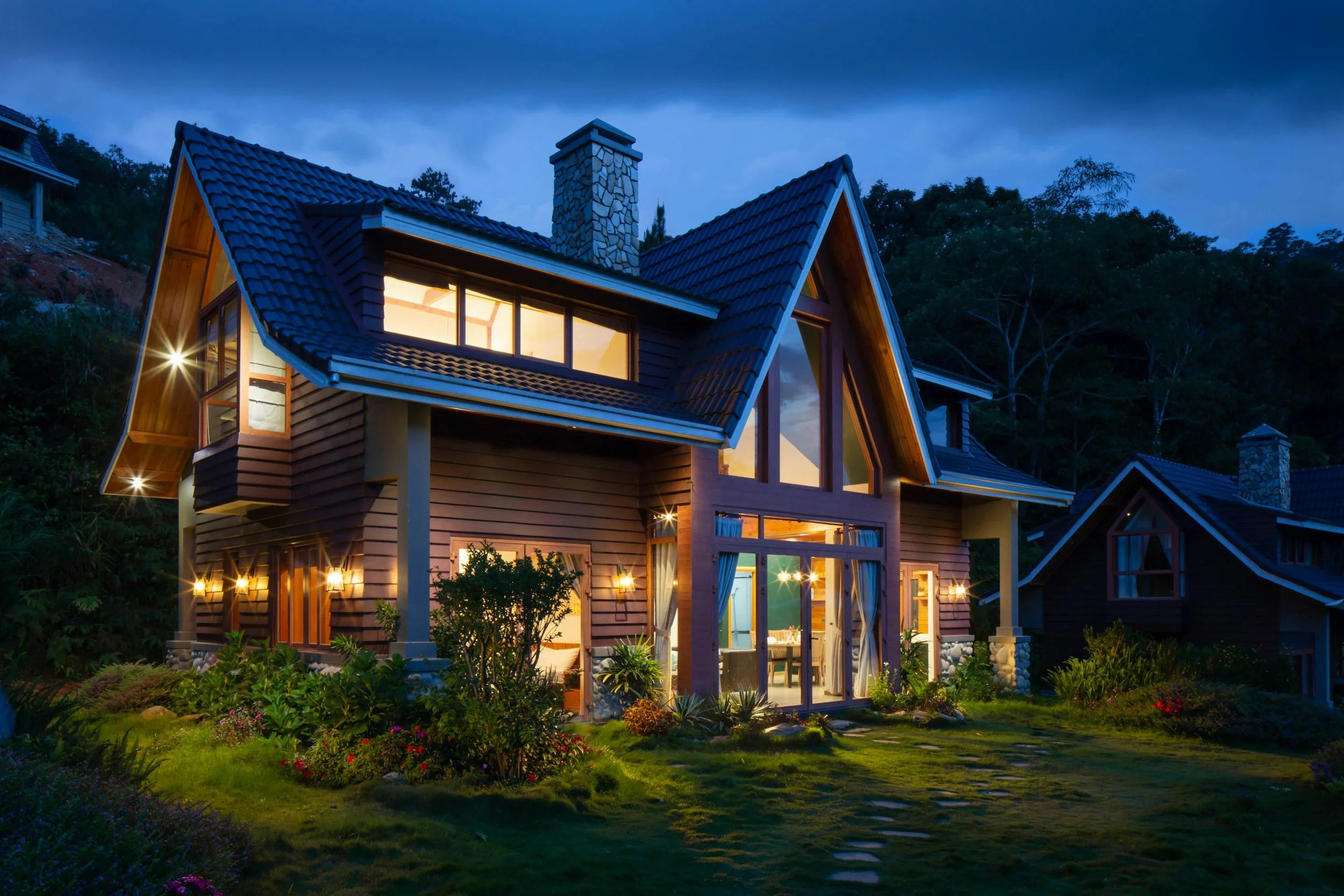
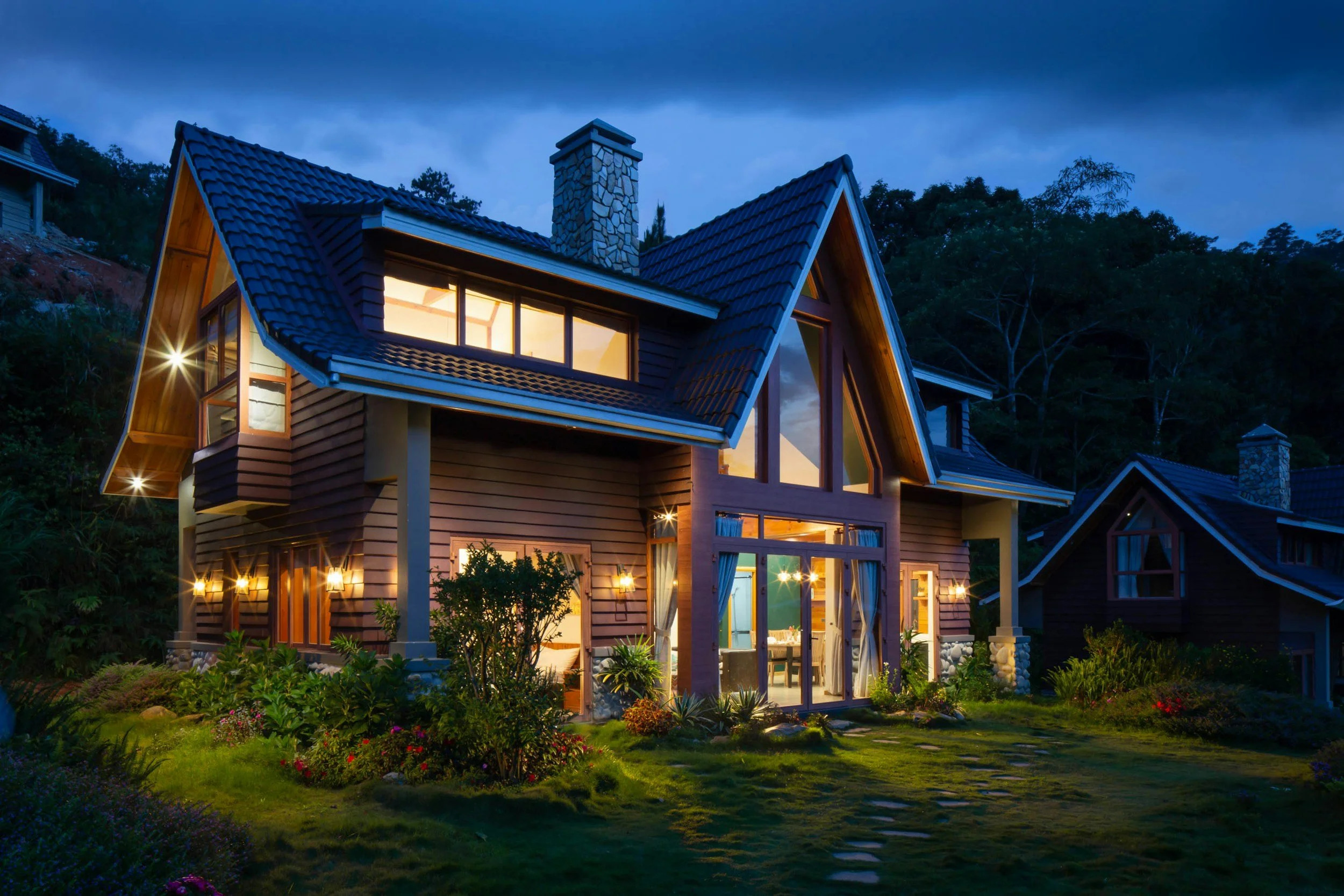
Why it works: Twilight exteriors stop thumbs. The warm interior glow against a blue-hour sky is the single most arresting image in real estate marketing — there's a reason photographers charge $100–$250 extra for a separate dusk session.
How to do it: One image. No carousel, no collage. Let it breathe. Post it in the evening (6–8 PM local) when your audience is actually scrolling.
Caption example: Keep it short: "This one hits different at dusk. Just listed in Riverside — link in bio for the full tour."
Short captions on strong images outperform long ones. Let the photo do the work.
4. The Neighborhood Shout-Out
Why it works: It borrows someone else's audience. Tagging a local business or featuring the neighborhood does two things: it shows buyers the lifestyle (not just the house), and it gets you in front of the business's followers when they share it.
How to do it: Post a lifestyle shot — the street, the park, the coffee shop patio — alongside the listing. Tag the local businesses you mention. Many will reshare to their stories.
Caption example: "Just listed two blocks from @RiversideCoffee — your Saturday mornings are about to get a lot better. 3 bed / 2 bath craftsman, $549K. Tour link in bio."
5. The Numbers Post (Done Right)
Why it works: Buyers are doing math in their heads anyway. A clean, designed numbers post — price, beds, baths, square footage, lot size — answers their first five questions in one glance and earns the save.
How to do it: Don't screenshot the MLS. Design it: your brand colors, big readable type, one great photo as the background or hero. MLS screenshots look lazy and they kill your brand.
Caption example: "The quick facts on 1420 Maple St — save this one. Full listing at the link in bio."
Posts that get saved get shown to more people. "Save this" is a legitimate call to action.
6. The Behind-the-Scenes Staging Post
Why it works: People love process. A before-and-after of the staging, or a 15-second clip of you walking the property before the photographer arrives, humanizes the listing and builds your personal brand at the same time.
How to do it: Shoot it on your phone. Messy living room, then the staged version. Or the empty kitchen, then styled. Authentic beats polished here — this is the one format where phone footage outperforms professional shots.
Caption example: "What 4 hours of staging looks like in 15 seconds. The listing goes live tomorrow — want the tour before everyone else? DM me 'MAPLE.'"
7. The Poll Post
Why it works: Polls are engagement cheat codes. Instagram Stories polls, Facebook post questions, even a simple "this or that" in the caption — anything that takes one tap to answer will outperform a passive post every time.
How to do it: Post two photos — the kitchen and the primary bedroom, or two exterior angles — and ask followers to pick. "Which would sell you on this house: the kitchen (1) or the backyard (2)?" Reply to every comment. Every reply doubles the comment count and tells the algorithm people care.
Caption example: "Just listed in Riverside. Be honest — are you here for the kitchen or the backyard? Drop a 1 or a 2."
The Uncomfortable Truth About All Seven
Every one of these formats works. But every one of them also needs a designed graphic, the right crop for each platform, your brand colors, and a caption — per listing, per week, forever. That's why most agents post the lazy single-photo version: not because they don't know better, but because they're out of hours.
The agents winning on social aren't more talented at design. They just removed the design bottleneck. If your Just Listed, Open House, and Sold graphics generated themselves from your listing photos — same branding, every platform, in seconds — you'd actually post all seven of these instead of just reading about them.
Stop letting the design work be the reason you don't post. CurbPost turns your listing photos into on-brand social graphics automatically — Just Listed, Open House, Sold, and more.
Get the $149 listing pack
Canva vs. Automated Listing Graphics: An Honest Comparison for Agents
Meta description: Canva is great — but is it the right tool for your listing graphics? An honest look at manual design vs. automated generation: time, cost, consistency, and when each one wins.
Canva is the most-used design tool in real estate, and for good reason. It's cheap, it's flexible, and millions of agents already know how to use it. So when someone suggests automating your listing graphics instead, the fair question is: why? Canva works fine.
Here's the honest answer — including where Canva wins.
What Canva Does Well
Let's start with credit where it's due:
It's cheap. Free tier exists; Pro is $18/month billed monthly or $180/year ($15/month equivalent) on annual billing in 2026.It's flexible. Open house flyer, market report, holiday post, listing presentation — one tool handles all of it.Brand Kits work. Your fonts, colors, and logo, saved and reusable.Templates are everywhere. Thousands of real-estate-specific templates, free and paid.
For one-off creative work — a custom market update, a personal branding post, a holiday card — Canva is genuinely the right tool. Nothing here argues otherwise.
The question isn't whether Canva is good. It's whether manually designing every listing graphic is the best use of your hours.
The Real Cost of Manual: Time
Here's the part nobody puts in the Canva-vs-anything comparison: the clock.
A solid set of listing graphics — Just Listed post, Instagram Story version, Facebook version, open house flyer, price improvement update, sold announcement — takes 45 to 90 minutes in Canva. That's with your Brand Kit set up, templates saved, and photos already downloaded. If you're starting from a blank template or hunting for the right layout, it's longer.
At 3 listings a month, that's 3 to 4.5 hours a month of graphic design. At 5 listings, it's a full workday. Every month. And that's the maintenance version — it doesn't count the listings where you tweak, re-export, fix a typo, or resize for a different platform.
Over a year: 36 to 54 hours spent inside Canva on repetitive listing graphics. That's a week of vacation, or a week of showings, spent dragging text boxes.
The Consistency Problem
Here's the subtler issue. When you design manually, every listing looks slightly different. Different template this time. Different photo crop. The open house flyer uses last month's layout because you couldn't find the new one. Your "brand" becomes a loose family resemblance rather than a recognizable identity.
Buyers scrolling Instagram don't read your name first — they recognize your look . Top-producing agents and teams have a visual signature: same layout rhythm, same type treatment, every listing. That consistency is nearly impossible to maintain manually across dozens of listings a year, especially when you're designing at 10 PM the night before the listing goes live.
Automation's quiet superpower isn't speed. It's that listing #47 looks exactly like listing #1.
Head-to-Head
Canva (manual) Automated generation
Monthly cost $0–$18 $149/listing or $299/mo Time per listing 45–90 min Seconds Brand consistency Depends on your discipline Locked in, every time Flexibility Total — any design imaginable Templated — within your brand system Learning curve You already know it Near zero Best for One-offs, custom campaigns, market reports Every-listing repetitive graphics Scales with volume No — more listings = more hours Yes — 3 or 30 listings, same effort
Notice the trade-off is real: automation gives up some creative freedom. If you want a wildly custom design for a $3M architectural listing, open Canva. But for the 90% of listings that need a clean Just Listed, Open House, and Sold post in your brand — the templated job — manual design is just expensive habit.
The Math That Matters
Canva Pro at $18/month: $216/year + 36–54 hours of your time.
If your time is worth $75/hour, those hours cost you $2,700–$4,050 a year in invisible labor.
Done-for-you listing graphics at $149 per listing: $149 + roughly zero hours. Unlimited plan at $299/month.
The subscription costs more than Canva. The total cost isn't close.
When Canva Wins (Honestly)
You're doing fewer than 1–2 listings a month and genuinely enjoy the design process
You need fully custom creative — luxury listings, personal brand campaigns, market reports
Your listings are so varied that no template system fits
You have a VA or team member who handles design and you'd rather keep the workflow
No shame in any of that. The wrong tool is the one that doesn't fit your business.
When Automation Wins
You're doing 3+ listings a month and the Canva sessions are eating your evenings
Your branding drifts from listing to listing and you know it
You've ever thought "I'll post about this listing tomorrow" and then didn't
Your team needs every agent's posts to look like they came from the same brokerage
The core insight: Canva is a design tool. What most agents need for listings isn't design — it's production . Same input (listing photos), same output (on-brand posts), every time, without thinking about it. That's not a design problem. It's a systems problem.
The Bottom Line
Keep Canva for the creative work only you can do. Stop using it as a production line for the repetitive work a system can do. The agents who figure out which is which get their evenings back — and their listings still look better than the ones designed at midnight.
Your listing photos, turned into on-brand Just Listed, Open House, and Sold graphics in seconds — no Canva sessions required.
Get the $149 listing pack
 SOLD
SOLD